Glamping for digital nomads sounds like the perfect setup: a canvas dome under the trees, a lake outside your door, and your laptop on the table. The problem is that most sites are built for weekenders, not workers. Wi-Fi is often an afterthought, there is rarely a proper desk, and comfort sometimes means a picnic bench and a power strip in the main lodge.
This guide fixes that gap. You’ll learn what a workable glamping setup actually requires, how to vet Wi-Fi before you book, which unit types suit long workdays, and when to time your stay for the best mix of price and quiet. We’ll also cover setting up a productive workspace inside a tent, regions where glamping and remote work already pair well, and a final checklist you can run through before every booking.
What Glamping for Digital Nomads Really Requires
Working from a tent for a week or more is entirely doable, but only if the basics are in place before you arrive. The first non-negotiable is Wi-Fi with at least 25 Mbps download — and verified, not assumed. Many glamping sites advertise “free Wi-Fi” that turns out to be a weak router in the reception building, far from your unit. Ask for proof of speed before you pay anything.
Your body needs a real desk
The second requirement is a table and chair at proper height. Working from a bed or a low picnic bench feels fine for a day, but within three or four days you’ll notice your neck and lower back complaining. A solid table around standard desk height, paired with a chair where your feet rest flat on the floor, makes the difference between a productive week and a painful one.
Comfort and coverage
Weather-proof comfort matters just as much. Look for heating or cooling suited to the season, blackout options so early sunrises don’t cut your sleep short, and power outlets close to the desk rather than across the tent. Finally, check phone signal coverage at the exact site. Rural properties often have weak fixed broadband, so a strong 4G or 5G signal on your phone is your realistic backup when the site Wi-Fi dips.
How to Vet Wi-Fi Before You Book
Wi-Fi is the make-or-break factor for any work-focused glamping stay, and the time to check it is before you book, not after you’ve unpacked. Rural properties vary enormously: one site may have fiber to the main building, while another relies on a single consumer connection shared across a dozen units. Hosts are usually honest when asked specific questions — it’s vague questions that get vague answers. So instead of asking “is the Wi-Fi good?”, ask for numbers, locations and dates. Here’s how to vet the connection properly.
- Request a recent speed test screenshot. Ask the host to run a speed test on their phone from inside your actual unit type and send the result. Aim for at least 25 Mbps download, and note the date of the test.
- Ask where the router sits relative to your unit. A router 200 meters away on the other side of a hill performs very differently from one in the neighboring cabin. Distance and obstacles tell you a lot.
- Confirm Wi-Fi reaches your unit itself. Some properties only cover the shared lounge or café. If you plan to work from your tent or dome, make sure the signal extends there — and ask guests in recent reviews whether they could actually stream or video call from their unit.
- Check 4G/5G coverage maps for the exact site. Pin the location in a coverage map from a major carrier, then plan a local eSIM or portable hotspot as backup. A dedicated hotspot or eSIM is a common fallback when site Wi-Fi dips below 10 Mbps.
- Ask about data caps and throttling. Some rural properties limit bandwidth or throttle heavy usage during high season, when many guests share one connection. Get this in writing before booking.
If a host hesitates to answer any of these, treat it as a red flag. Properties that take remote workers seriously — like the lakeside site covered in our review of glamping near Castel Volturno, Italy — usually answer speed questions without prompting, because they know exactly what their connection can handle. It also helps to ask when the infrastructure was last upgraded; a site that added new equipment recently will typically say so proudly, while a vague reply can signal an aging setup. Finally, keep your questions in writing so you have something to fall back on if the connection on arrival doesn’t match what was promised. The five minutes you spend vetting now can save a whole week of working from a café parking lot.
Choosing the Right Unit Type for Work
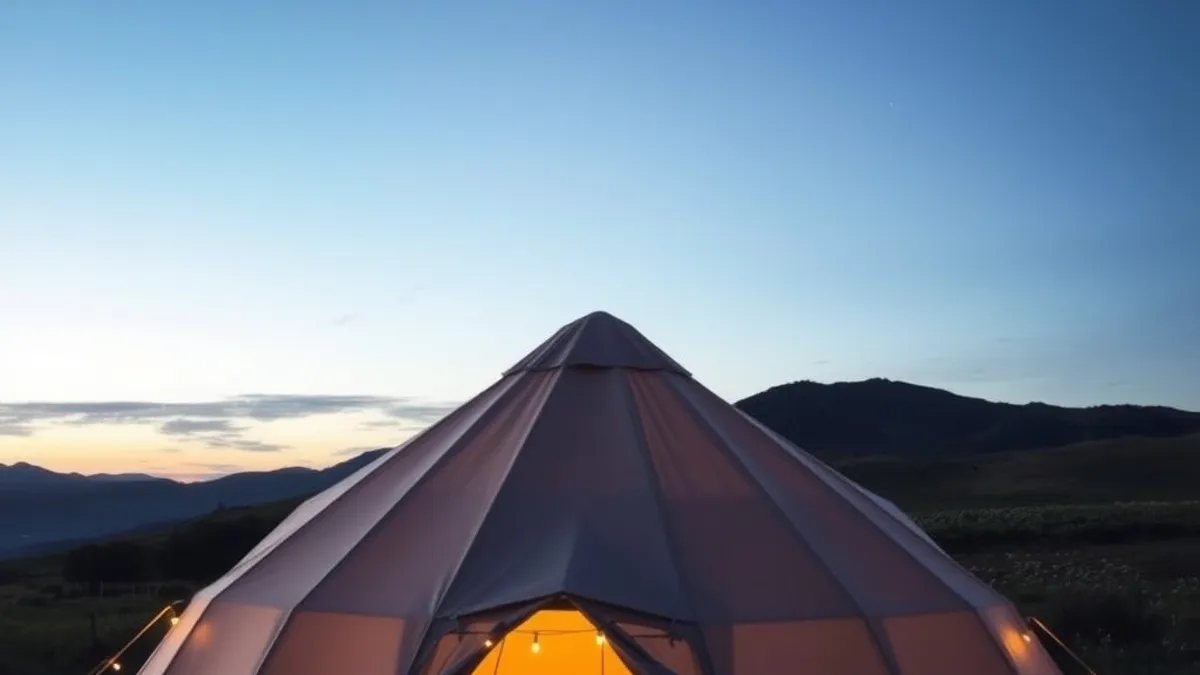
Not all glamping units are equal when it comes to working eight hours a day. Canvas structures have charm, but charm doesn’t insulate. The right unit type depends on how long you’re staying, what season you’re booking, and how much your work depends on stable temperatures and quiet.
Safari tents and yurts work well for short focus sprints — a few days of deep work in good weather. But canvas heats up fast in afternoon sun, and wind or rain noise carries straight through the fabric. If your stay is longer than a few nights, or you’re traveling in an unpredictable season, that charm wears thin quickly.
Glamping domes and cabins are the better choice for extended stays. Solid walls mean better insulation, stable year-round temperatures, and usually a real desk instead of a folding table. They also handle storms and early mornings far better than canvas.
- Units closest to the main building get the strongest Wi-Fi. Signal weakens with every wall and tree between the router and your device, so when booking, ask for the unit nearest the reception or lodge if connectivity is your priority.
- Corner units trade views for noise. A unit at the edge of the site may offer more privacy, but units near communal areas often pick up evening chatter — decide which matters more for your work rhythm.
- Ask about the desk specifically. “Wi-Fi included” tells you nothing about whether there’s a chair that doesn’t wreck your back. Sites that advertise a dedicated workspace or co-working area take remote workers seriously; sites that only list Wi-Fi usually don’t.
In short: canvas for short, fair-weather sprints; domes and cabins for anything longer. And always weigh the advertised workspace over the advertised Wi-Fi, because the first is far rarer than the second.
Timing Your Stay: Seasons and Booking Windows
Glamping sites that genuinely work for remote professionals are a small subset of an already niche market, and the best units get claimed early. For a summer stay in June, July or August, book two to three months ahead. Properties with solid desks, insulated walls and verified internet are the first to go, often long before the more basic tents fill up. If you wait until a few weeks out, you will likely be choosing from whatever is left rather than what actually suits your workday.
The shoulder seasons are where nomads get the better deal. May–June and September–October bring lower rates, fewer families with children and a noticeably quieter atmosphere during working hours. Weather is usually mild enough for canvas accommodation, and you share the Wi-Fi bandwidth with far fewer guests. If your schedule allows any flexibility, this is the window to target.
What to budget
Most glamping sites charge roughly $80–$250 per night depending on region and season, so a working week can add up quickly. The good news: many properties offer long-stay discounts of 20–30% for bookings of a week or more. Ask directly — these discounts are not always shown on booking platforms, and hosts are often happy to negotiate for a guaranteed longer stay.
One seasonal warning: in hot regions, think carefully about July and August afternoons in canvas units without air conditioning. Tents and yurts can turn into ovens by mid-afternoon, which makes productive work nearly impossible. Either choose a unit with cooling, or plan your deep-work sessions for early morning and evening.
Setting Up a Productive Workspace in a Tent
A tent can absolutely function as an office, but only if you bring the small gear that hotels and cabins take for granted. Canvas walls carry sound remarkably well — a conversation two units over or wind in the trees can ruin a call — so noise-cancelling headphones move from nice-to-have to essential. A laptop stand and external mouse matter too, because most glamping desks are improvised and your neck will notice within a day or two.
Power is the other common bottleneck. Many units have a single outlet, sometimes shared with the lighting circuit, so a power bank and a clip-on lamp let you work after dark without unplugging the router. Before your first full workday, set up your spot properly: move the desk toward the window for natural light, then angle your screen so direct glare does not wash out your display or show up on camera.
Finally, establish a video-call routine from day one. Run a test call at the exact hours your real meetings happen — connection quality at 9 a.m. can differ wildly from dinnertime, when every guest in the camp is streaming. Knowing your peak-hour performance early lets you plan around weak windows instead of discovering them mid-meeting.
- Laptop stand with a folding design: packs flat in luggage and lifts your screen to eye level, which saves your neck when the “desk” turns out to be a chest-height shelf.
- Clip-on lamp with a warm/cool setting: clamps onto a tent pole or headboard and doubles as video-call lighting, useful when the only overhead light is a dim bulb on the shared outlet.
- Power bank of at least 20,000 mAh: charges your laptop and phone overnight if the single outlet is occupied by the router, and covers you during any generator downtime.
- Small foam earplugs as a backup: headphones fail or run out of battery, and rain on canvas is louder than you expect — earplugs are your last line of defense for focus work.
Where Glamping and Nomad Life Already Work Well
Some regions have quietly become favorites among remote workers who want canvas walls and a decent connection. Lakeside and countryside sites in Italy and Portugal pair glamping comfort with genuinely quiet work settings — vineyards, lake shores and hill towns where the biggest distraction is the view. Portugal in particular has built a reputation for nomad-friendly accommodation, and one good example is this glamping stay in Terras de Bouro, northern Portugal, which shows how well the format can work outside peak season.
Coastal and desert options
Coastal camps in Greece and the US Southwest offer a different flavor: strong shoulder-season Wi-Fi combined with scenery that makes focus easier, not harder. In both cases, the trick is timing. Visit outside the busiest months and you get quieter grounds, more bandwidth per guest and rates that leave room in the budget for a longer stay.
Read the guest list, not just the listing
Location within the region matters as much as the property itself. Sites near small towns give you cafés as backup workspaces when the weather turns or the campground internet has an off day — a ten-minute walk to a reliable table and espresso can save an entire afternoon. And when browsing listings, look for properties that already host other long-stay guests. Reviews mentioning remote workers, monthly rates or a dedicated co-working area are a strong signal that the owner takes this seriously, rather than treating Wi-Fi as a box to tick.
Your Glamping Work-Stay Checklist
Glamping can absolutely work for remote workers, but only if you treat it like a real work decision rather than a vacation booking. Most sites still treat Wi-Fi and workspace as afterthoughts, so the burden falls on you to verify both before you pay. Ask for a speed test screenshot showing at least 25 Mbps download, confirm the desk situation, and have a mobile hotspot or local eSIM ready as backup.
The rest comes down to smart choices: pick insulated units and shoulder-season dates for the best mix of comfort and price, and pack the small gear — hotspot, laptop stand, lamp — that turns a tent into a proper office. Do those three things and you get the nature, the quiet and the paycheck without the frustration. Have you tried a glamping work-stay yet? Share your experience or questions in the comments below.