You’ve found the lodge: lake views, mountain air, a wood stove for the evenings. Then reality hits. Can you actually run a full workday from a place like this, or will the Wi-Fi collapse the moment you join a video call? If you’re thinking about working remotely from a lodge, connectivity and power are the two things that can make or break the trip.
This guide walks through what a realistic lodge workday looks like, how to test Wi-Fi before you book, and why power outlets matter more than you’d expect. You’ll also find advice on building a backup connectivity plan, choosing lodges that suit remote work, and setting expectations with clients so a slow connection never becomes a professional problem. A little planning turns a scenic cabin into a genuinely workable office.
What Working Remotely From a Lodge Actually Looks Like
A realistic lodge workday rarely looks like an office one. Most remote workers settle into a rhythm of video calls in the morning while the connection is fresh and other guests are still at breakfast, then switch to offline tasks in the afternoon. Writing, editing documents, reviewing notes and planning all work fine without internet. In the evening, when the network quiets down, you upload files, send emails and sync everything you produced during the day.
Why lodges behave differently from city hotels
City hotels usually sit on fast commercial fiber with plenty of headroom. Lodges in rural areas often rely on a single shared connection that serves every guest, plus sometimes staff and common areas. When everyone returns from the day’s activities around dinner time and starts streaming movies, speeds drop sharply. Rural lodge Wi-Fi typically delivers 10 to 50 Mbps, enough for video calls but not for heavy uploads during peak hours.
The real shift is mental. Instead of expecting constant office-grade internet, plan your schedule around connectivity windows. Treat the morning and late evening as your online hours and the middle of the day as deep-work time. Once you accept that structure, a lodge becomes a surprisingly productive place to work, with far fewer interruptions than an open-plan office.
Testing Wi-Fi Before You Book
The single best way to avoid a connectivity disaster is to verify things before you pay. Lodge internet quality varies enormously from property to property, and marketing photos never show a speed test. A slick website with a “free Wi-Fi” badge can hide a router that struggles when more than a few guests log on at once. A good example of the type of property worth scrutinizing is this lodge review from Hakuba, Japan, which shows the kind of detail worth researching before committing. Follow these steps before booking anywhere:
- Email the lodge directly. Ask for recent speed test results and, just as importantly, whether the bandwidth is shared among guests or dedicated. Ask how the connection performed during the last busy period. A lodge that answers this question confidently usually has nothing to hide; a vague reply is an answer in itself.
- Scan listings for the right keywords. Phrases like business-grade internet, dedicated workspace, or ergonomic setup signal that a property takes remote work seriously. “Free Wi-Fi” alone tells you almost nothing about actual performance.
- Read recent reviews with a specific filter. Search for mentions of streaming, video calls, or dropped connections. A review from last month about a frozen Zoom call tells you more than any amenity list ever will.
- Book early for summer. Rooms marketed as work-friendly are limited, so reserve 2 to 3 months ahead for summer stays. Peak-season occupancy in US national park areas runs June through September, when the best work rooms go first.
Ten minutes of research before booking saves you from a week of hunting for signal in a parking lot. Make the questions specific, put the answers in writing, and keep the email thread so you have something to point to if the connection on arrival doesn’t match what was promised. If a lodge hesitates to answer, treat that as useful information and keep looking.
Power Realities: Outlets, Outages and Backup
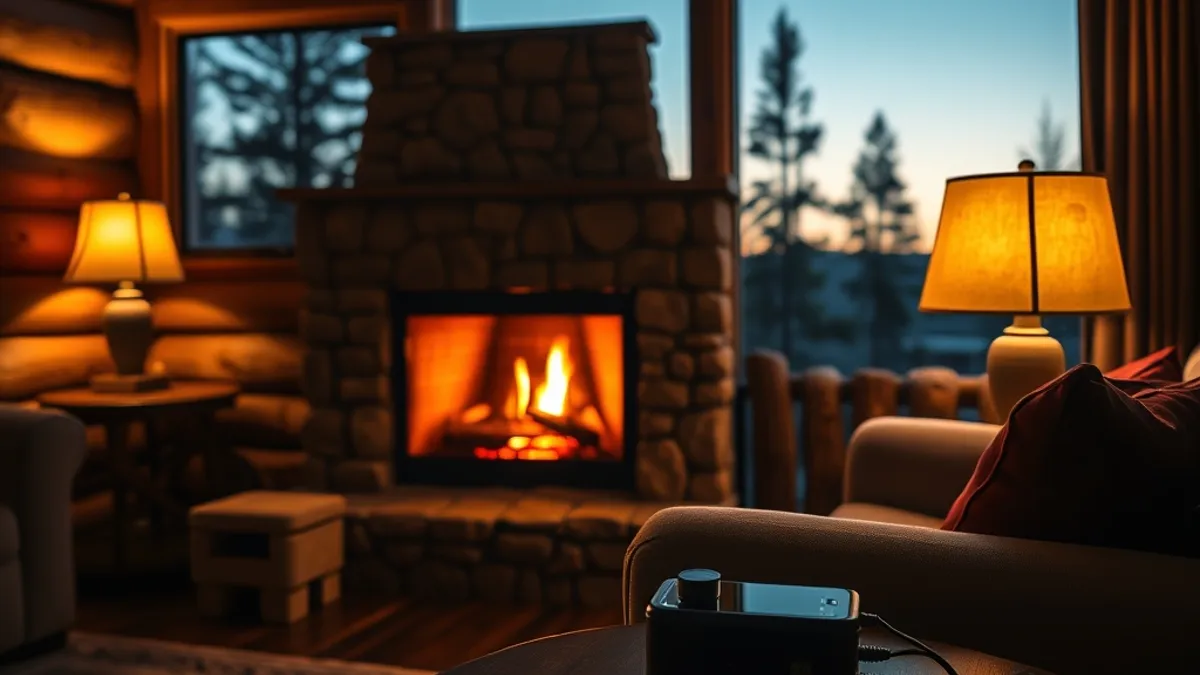
Connectivity is only half the equation. Even a perfect Wi-Fi signal is useless if your laptop battery dies halfway through a call, and lodge rooms are notoriously stingy with outlets. Most lodges offer only 2 to 4 outlets per room, and they’re often placed behind beds or furniture where a laptop charger barely reaches. A compact power strip with surge protection turns one wall socket into a proper workstation and protects your gear from unstable rural power. Pack one in your carry-on, not your checked bag, so it arrives with you even if your luggage doesn’t.
Remote lodges in mountain and coastal areas can experience weather-related outages, especially during winter storms, when lines go down or generators need to be cycled. That doesn’t mean you can’t work; it means you need buffer power. A portable power bank of 20,000 mAh provides roughly 4 to 5 laptop recharges, which is enough to carry you through most short outages or a long day of excursions away from your room. Ask at check-in whether the lodge runs on generator power overnight, since some properties switch systems off in the small hours and wall sockets stop charging entirely.
- Charge everything overnight. Laptops, phone, power bank, hotspot and headphones should all be at 100% by breakfast, so a morning outage never touches your workday.
- Top up at midday. Solar systems and generators tend to be most stable around midday, making it the safest window to top up batteries between tasks.
- Know your room’s outlets on arrival. Test them with a phone charger first; some outlets in older lodges are loose or tied to switches you might not expect.
- Keep one charge in reserve. Treat your power bank’s last recharge as an emergency reserve for a critical call, not casual browsing by the fire.
Building a Backup Connectivity Plan
No matter how good a lodge’s Wi-Fi looks on paper, rural connections fail more often than city ones. Storms knock out lines, routers overheat, and a full house of guests can slow a shared connection to a crawl. That’s why a backup plan isn’t paranoia — it’s the difference between a productive workation and a stressful one. The good news is that a solid fallback setup costs little and takes less than an hour to arrange before you leave.
The simplest fallback is your own connection. Renting a portable hotspot gives you an independent link that doesn’t compete with other guests, and costs typically run around $10 to $15 per day. If you’d rather not carry extra gear, your phone’s tethering feature works too, though you’ll want to check your data plan before relying on it for a full workday. A hotspot also helps if the lodge’s router fails entirely, which happens more often in remote areas where replacement equipment can take days to arrive.
Preparation before you leave home matters just as much. Once you’re on a slow or intermittent connection, downloading large files becomes painful, so front-load everything you can before the trip starts.
- Save offline copies of shared drives, project folders and presentation decks so you can keep working even if the connection drops mid-morning.
- Download offline maps of the region so you can find fuel, groceries or a stronger signal without burning mobile data.
- Sync your inbox for offline reading and drafting, then let replies queue up and send when connectivity returns.
- Ask the lodge front desk (or check local carrier coverage maps) to identify the nearest town with reliable cellular service, and plan a short drive there for critical calls or large uploads.
- Time your heaviest transfers for early morning or late evening, when most guests are asleep or out on excursions and the shared network is at its quietest.
Choosing Lodges That Suit Remote Work
The right lodge makes remote work feel effortless; the wrong one turns every video call into a gamble. When comparing options, look past the photos of fireplaces and view decks and focus on the practical details: does the room have an actual desk, is the lighting bright enough for hours of screen work, and is the room positioned away from the lobby, restaurant and other high-traffic areas?
Timing your stay also changes everything. Summer is when lodges near America’s national parks fill up and every guest is streaming, scrolling and video calling on the same connection. A shoulder-season stay in May, late September or October means fewer people competing for bandwidth — often the single biggest speed boost you can give yourself without spending a dime.
And don’t forget why you’re doing this in the first place. A lakeside cabin or mountain retreat gives you something a home office never will: a genuine reward at the end of the workday, whether that’s a sunset over the water or a quiet trail before dinner.
- Ask specifically whether the desk chair and lighting are ergonomic, since a dining chair and a single dim lamp make eight-hour days miserable.
- Request a room on a quiet side of the property or an upper floor, away from dining rooms and event spaces that generate daytime noise.
- Check whether the lodge offers any workspace alternatives, such as a library corner or covered veranda, for when you want a change of scene.
- Read the cancellation policy carefully before booking, and favor flexible terms in case the connectivity proves unusable when you arrive.
- Confirm housekeeping schedules, since a mid-morning knock on the door during a client call is an avoidable disruption.
Setting Expectations With Clients and Colleagues
Tell People Before You Go
The biggest workation failures come from surprise, not from slow Wi-Fi. If clients expect instant replies and you’re on a rural connection that handles email but not much else, tension builds fast. Fix this by announcing your limited availability windows well before your trip: tell people which hours you’ll be reachable, which tasks might be delayed, and how to reach you if something is genuinely urgent.
Block your focus hours on shared calendars too. When colleagues can see that you’re heads-down from, say, morning through early afternoon, they stop pinging you mid-task and batch their questions instead. This works even better if you name the blocks clearly — “deep work, limited connectivity” sends a clearer message than a generic busy status.
Make Your Setup Drop-Tolerant
Even with good planning, connections drop. Build your workflow so a lost signal costs you minutes, not the whole conversation. When a video call matters, record it locally on your device if the platform allows it — that way, even if the feed freezes or the call dies, you still have the full discussion to review and share afterward.
For the days you’re at the lodge, agree upfront on asynchronous communication: email for decisions, shared documents for feedback, and recorded updates instead of live meetings where possible. Teams that embrace this usually find they need fewer calls than they thought, and you’ll spend your connected hours on meaningful work rather than fighting a laggy connection. Set these expectations a week or two ahead, and both your clients and your colleagues will adapt easily.
The Bottom Line on Lodge Workations
So, can you really trade your office desk for a lake view? Usually, yes. Rural lodge connections commonly run somewhere between 10 and 50 Mbps, which is enough for video calls and everyday tasks as long as you schedule around the network’s quiet hours instead of expecting constant office-grade speeds. Pair that with a power strip for the limited outlets, a 20,000 mAh power bank for outages, and a backup hotspot for emergencies, and you’ve covered the most common failure points.
The two highest-impact moves are simple: test connectivity before you book, and travel in shoulder season when fewer guests are competing for bandwidth. Do those things, and a lodge workation stops being a gamble and becomes a genuinely productive change of scenery. Have you worked remotely from a lodge, or are you planning your first trip? Share your experience in the comments or pass this article along to a coworker who needs a view like that.