Booking a villa with beautiful photos but no guarantee the Wi-Fi can handle full workdays is the most common remote work disappointment. You arrive, unpack, sit down for your first call, and discover the signal reaches only the hallway or the connection collapses every evening. The villa Wi-Fi and workspace combination matters just as much as the pool or the view when your income depends on being online.
This guide walks you through the checks that separate a workable villa from a frustrating one. You will learn why villa internet often fails remote workers, how to verify speeds before you book, and what to test on day one. We also cover building a backup connectivity plan, checking the workspace setup, matching time zones and stay length, and a final checklist you can use before confirming any reservation.
Why Villa Wi-Fi Often Fails Remote Workers
Most villas are not purpose-built offices. They are converted family homes, often with thick stone or concrete walls that a single consumer router simply cannot penetrate. The result is predictable: strong signal in the living room where the router sits, weak or dead signal in the bedrooms, and nothing usable at the poolside where you imagined yourself working.
Evening congestion is the second problem
Resort regions typically run on consumer-grade connections, not business lines. When every guest in the area streams movies after dinner, speeds can drop sharply during evening peak hours, which is exactly when many remote workers have calls scheduled with teams in other time zones.
The third issue is that listings rarely state real speeds. “Free Wi-Fi” on a booking site can mean anything from a sluggish 2 Mbps connection that barely loads email to a proper fiber line. Without asking specific questions, you have no way of knowing which one you are getting until you arrive with your laptop open and your first meeting minutes away. That uncertainty is avoidable, and the next section shows how.
How to Verify Villa Wi-Fi Before You Book
Hosts usually answer honest, specific questions quickly, and a few targeted messages before booking will tell you more than any polished listing description ever will. Treat this as a filter as much as an information-gathering step: hosts who respond promptly, clearly, and without vague reassurances are also the ones more likely to help if the router fails mid-stay or a storm knocks out the line. A host who dodges a simple question about internet speed before you pay is telling you something about how they will handle problems after you arrive.
- Request a recent speed test screenshot. Ask the host to run a speed test and send you a screenshot showing both download and upload figures, taken within the last 7 days of your booking conversation. A screenshot proves the numbers are real and current, not a figure copied from an old listing or a hopeful estimate. If the upload number is low, say so early, since video calls suffer most from weak upload.
- Ask about the exact internet plan. Get the plan name, the provider, and the connection type. Fiber handles video calls comfortably; DSL is slower and more variable; mobile-based connections depend entirely on signal strength and how congested the local towers are. Knowing the type tells you what to expect during evening peak hours, when everyone else in the area goes online too.
- Confirm whether the Wi-Fi is shared. Many villas sit on multi-unit properties where several apartments share one connection. That can halve your real speed exactly when the property is fullest, and peak season prices in popular villa regions often run 30-50% above shoulder season, so you may be paying more for worse performance. You want a dedicated line, or at least a straight answer on how many units share the connection.
Keep the host’s answers in writing so you have something concrete to refer back to if the connection on arrival does not match what was promised. Most booking platforms keep your message history searchable, which makes resolving a dispute far easier than trying to remember a verbal promise. A polite follow-up message summarizing what the host confirmed also signals that you are a traveler who pays attention, and hosts tend to be more careful with the setup for that kind of guest.
Testing the Connection on Day One
Whatever the host promised, your own tests on arrival are what count. Screenshots and confident messages are reassuring, but they tell you nothing about the signal in your actual room at the hours you will actually work. Budget an hour on day one to verify the connection before your first real workday, while you still have time to change rooms, ask the host for fixes, or activate a backup plan. Treat this hour as part of settling in, right alongside unpacking and finding the coffee maker. Skipping it is how remote workers end up discovering a dead zone in the bedroom during their first important call of the trip.
- Run a speed test immediately. The moment you arrive, run your own test on the villa’s network. Video calls need at least 10-20 Mbps download and 3-5 Mbps upload, so compare your results against those figures rather than the host’s claims. If the numbers fall short, you want to know today, not next Thursday.
- Test at your actual working hours. Speeds at noon mean little if you work in the evening. Repeat the test at the times you will actually be online, especially evenings when local networks are busiest and shared connections slow down most. Note the results each time so you can spot a pattern rather than a one-off dip.
- Do a live video call from your real spot. Do not test while sitting next to the router. Sit exactly where you plan to work and make a live video call with a colleague or friend. Signal strength, stability, and audio quality can all change dramatically a few rooms away. Check whether your camera stays on without stuttering and whether your voice cuts out when others speak.
If the tests fall short, contact the host the same day. Many issues, like a poorly placed router or an outdated extender, can be fixed on the spot, but only if you discover them early enough to act. A host who knows within hours can move equipment, restart the connection, or shift you to a room closer to the router. Waiting until midweek leaves everyone fewer options, and it puts your meetings at risk in the meantime. If nothing improves within a day, switch to your backup plan and let the host work on a longer-term fix while you stay productive.
Building a Backup Connectivity Plan
Even the best villa connection can fail at the worst moment, so your backup plan matters as much as the primary one. The good news is that setting up a second line of defense takes less than an hour and usually costs very little. The goal is simple: if the villa router dies during your big presentation, you should be back online within two minutes, not two hours.
Start before you fly. Install a local eSIM on an unlocked phone or plan to buy a prepaid data SIM at the airport, so your phone can act as a hotspot when the villa’s connection drops. Check that your phone supports tethering and that your home carrier has unlocked it before departure. Data in most resort regions is affordable by the day or week, and even a modest plan is enough to carry an emergency video call.
Then prepare your devices for offline work. Download the files, decks and documents you will need during your stay, and turn on hotspot tethering on your phone before you actually need it. Finally, scout your surroundings: a café or coworking space within walking distance is a lifesaver when the villa itself has an outage that lasts hours.
- Keep a dual-SIM or eSIM-capable phone as your backup device, and store the villa’s Wi-Fi password offline in your notes app so you can reconnect quickly after a router restart.
- Test your mobile hotspot on day one by running a speed check over cellular data, because coverage inside thick-walled villas can be far weaker than the signal outside.
- Download offline maps of the local area and identify where you can top up a prepaid SIM, since small shops in resort towns may close early or take cash only.
- Carry a charged power bank so your hotspot plan still works during a local power cut, which often knocks out the villa’s router even when your mobile data is fine.
Checking the Workspace Setup in Photos and Questions
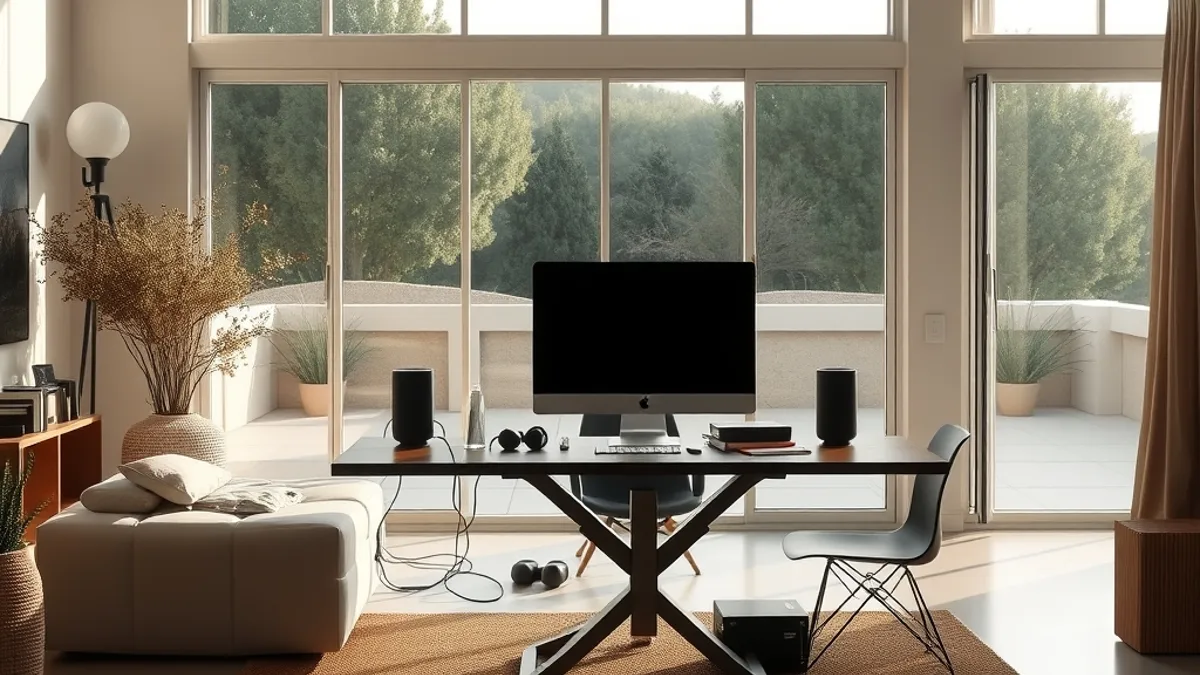
Photos tell you more about a villa’s workability than any amenity list, but only if you look closely. Most listings show the pool, the view and the bedroom, while the question that decides your whole stay goes unanswered: is there anywhere to actually sit and work for a full week? Zoom into every interior photo and hunt for a real desk or a dining table at proper chair height.
A bed tray or a low sofa might work for answering a few emails, but neither survives a 40-hour week. Working hunched over a coffee table for days leads to a sore neck and a ruined trip, and no view compensates for that. If the photos show nothing suitable, that is a signal to ask directly rather than hope for the best.
Once you have confirmed a table exists, dig into the details that photos rarely capture. Ask the host about the chair, the outlets and the light, because these small things determine whether you can work comfortably from nine to five.
- Ask whether the desk chair is an actual office chair with back support or a hard dining chair, and whether you can request an extra cushion or a different chair if needed.
- Count the outlets in the workspace photos and ask whether you need a travel adapter or a small power strip to run a laptop, phone and second screen at once.
- Check if the table sits near a window for natural light, and confirm whether the window faces morning or afternoon sun so your screen is not washed out during calls.
- Request a quiet room away from the pool, the outdoor kitchen and any common areas, and ask whether nearby bars or construction could affect noise levels.
- Ask if the bedroom and the workspace are the same room, since separating sleep from work makes long stays far easier on your focus and your back.
Finally, think about the villa’s broader noise exposure before booking. A villa beside a beach bar can be silent at noon and loud until late at night, which matters if your workday stretches into the local evening. A short message asking about the neighborhood pays for itself.
Matching Time Zones and Stay Length
Where you book matters almost as much as how you book. If your team sits in Europe, a villa in Latin America puts you hours away from every meeting, and that gap shapes your entire daily routine. Latin America runs roughly 6-9 hours behind Central European Time, so a villa in a place like Nicaragua can push your calls into the local evening.
That is not automatically a bad deal. Mornings become deep-work time with no interruptions, and you can swim or explore before your first call. But if your job demands live collaboration all day, the schedule can wear you down quickly. Read a firsthand account like this review of a beachside villa stay in San Juan del Sur, Nicaragua to see how the time zone gap plays out in practice before you commit to a month abroad.
Book longer, confirm closer
Short stays rarely justify the friction of settling into a new workspace, so aim for 2-4 week bookings. Longer stays also give you leverage with hosts: they would rather keep a quiet, reliable guest for a month than risk a bad review over a slow router. Two to three days before arrival, message the host to confirm that the router actually serves your assigned room, since villas sometimes shuffle guests between units at the last minute.
Why shoulder season wins for remote workers
Peak weeks in popular villa regions cost noticeably more than shoulder season, and you get less attention per guest when the property is full. In quieter weeks, hosts reply faster, have time to run speed tests for you, and are far more willing to assign you the room with the best desk and the strongest signal. Shoulder season also tends to mean fewer guests sharing the property’s connection, which quietly helps your workday along. If your schedule is flexible, traveling outside the peak window is the cheapest workspace upgrade available.
The Remote Work Villa Checklist
That gap between a gorgeous villa listing and a workday that actually functions comes down to a handful of checks. Get a verified speed test of at least 10-20 Mbps down and 3-5 Mbps up, confirm there is a real desk and chair, and you have eliminated the most common failure points before you pay.
The rest is insurance: backup eSIM data ready on your phone, a test call from your actual workspace on day one, and time zone plus stay length confirmed with the host before arrival. Do that, and the villa you booked is the villa you get. If this checklist saved you from a bad booking, share it or drop a comment below.